Temp Mail for Dating Apps: Stay Private While You Test
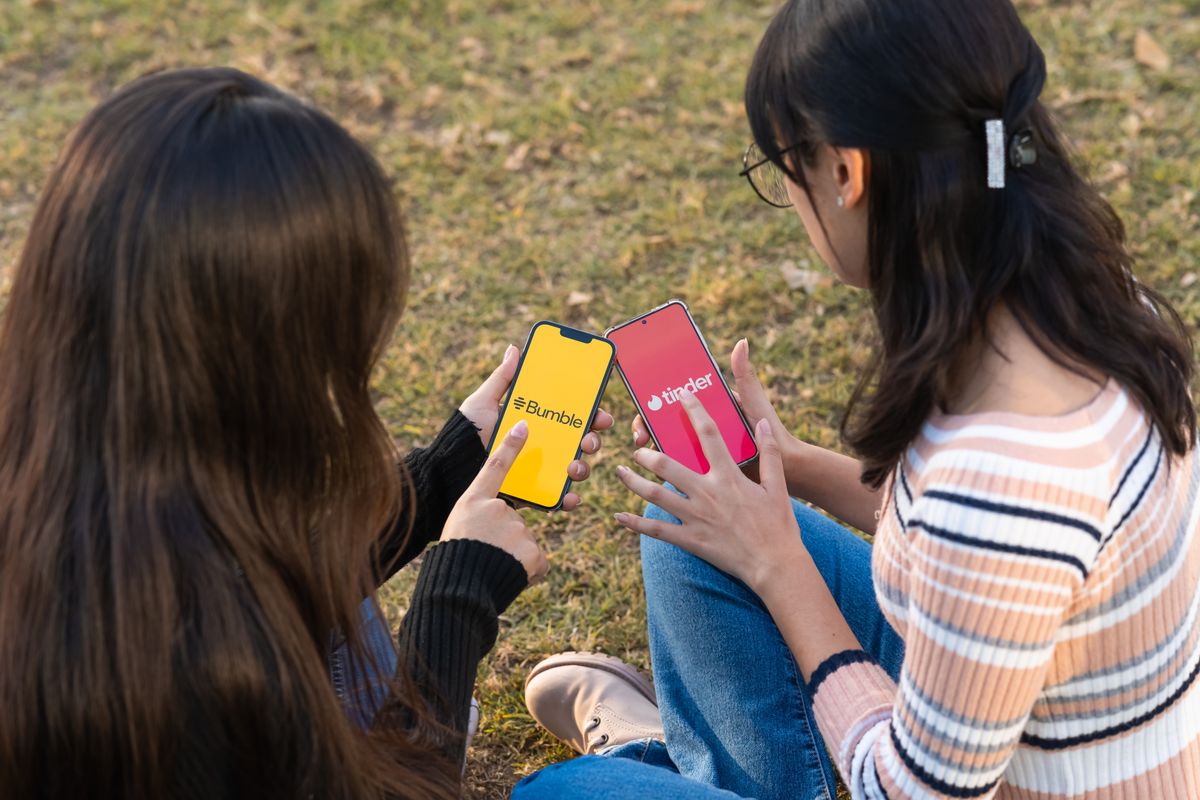
Using temp mail for dating apps is the simplest privacy upgrade most people never try: before a new app learns your face, your location habits, and your Friday-night preferences, it first asks for one small thing — an email address. Hand it your real inbox and you have given a stranger's server a permanent thread back to everything else that inbox is attached to: your bank alerts, your work mail, your password resets, and a decade of accounts that share the same address. Hand it a disposable address instead and the thread ends at the signup form. This guide shows how to run that trade properly — a seven-day taste test that tells you whether an app deserves your real details, the three gates a throwaway address cannot open, and the exact moment to graduate a keeper to a permanent address.
The idea is not secrecy for its own sake, and it is definitely not about deceiving anyone you match with. Your photos should still be you, your bio should still be honest, and your intentions should still be real. What stays private is the plumbing underneath: which inbox the app can reach you at, which address data brokers can use to stitch your profiles together, and which mailbox fills up with 'someone liked you' nudges for the next three years. Privacy here means controlling the contact details, not hiding the person — and a disposable address is the cheapest tool that does exactly that job.
Why dating apps deserve a different signup rule
Most signups ask for an email and a password and stop there. A dating app asks for an email, a phone number, photos of your face, your location, your age range, your interests, and sometimes your job or education — then it keeps watching which profiles you linger on and which messages you answer. That makes the signup email far more valuable than it is for a newsletter or a download gate. For a newsletter, the worst case is spam. For a dating app, the worst case is a leak that ties an intimate profile — your photos, your preferences, your city — to the same address your employer, your bank, and your family already use to reach you.
The notification problem is quieter but just as real. Dating apps are built to pull you back: match alerts, message previews, and 'you have new likes' digests, sometimes several a day. Point those at your real inbox and your dating life starts appearing on your lock screen, in your workday inbox, and in front of anyone glancing at your phone. Point them at a disposable address and the noise dies with the inbox. You still see everything that matters inside the app itself, where it belongs, and nothing about it leaks into the mailbox you use for the rest of your life.
The same test-before-you-commit logic already works elsewhere. We have written before about testing an Instagram handle with a disposable address before attaching your real email to an account you might abandon — our guide to temp mail for Instagram signup runs a sixty-minute version of the same idea. Dating apps need a longer test because you cannot judge match quality in an hour, but the principle is identical: let the app earn your real details instead of handing them over at the door.
Temp Mail for Dating Apps: The 7-Day Taste Test

Here is the honest shape of the method, including the catch most other guides skip: a Temp Mail inbox lives for sixty minutes, but a dating app takes a week to judge. Both facts can be true at once if you split the job in two. The inbox handles the first hour — signup, verification code, password setup — and the app itself handles the next seven days, while you simply stay logged in. Never log out during the test week, because logging back in may demand an email verification that a dead inbox can never receive.
Hour one is the setup sprint. Generate an address on the Temp Mail homepage, paste it into the signup form, and confirm the verification code the moment it lands. Set a strong, unique password and save it in your password manager immediately — this password is your only way back in once the inbox is gone. Build a minimal but honest profile: real photos, a true bio, no workplace, no school, no Instagram handle. Turn off email notifications inside the app if it allows it, since the inbox will be gone within the hour anyway, and finish every email-dependent step now: verify, confirm, save, done.
Days one to seven are the actual test, and they need a scorecard rather than a gut feeling. Score five questions, one point each, at the end of the week. One: did you enjoy opening the app, or did it feel like a chore by day three? Two: did you get at least three matches worth a real reply? Three: was the notification pressure tolerable, or did the app nag you into checking it? Four: can you picture paying for it, if it ever came to that? Five: would you trust this app with your real email today? Four or five points means the app earned a graduation. Two or three means extend the test by three days with a stricter eye. Zero or one means delete the account from inside the app while you are still logged in, and let the disposable address dissolve behind it.
A worked example shows why the week matters more than the hour. Suppose you test two apps side by side. App A floods you with likes in day one, then goes silent for five days — the classic engagement spike followed by a paywall. App B is quieter on day one but produces two genuine conversations by day four. Judged in the first hour, App A wins easily. Judged over seven days, App B is the only one that survives the scorecard. The disposable address is what makes this comparison free: neither app ever touched your real inbox, so the loser costs you nothing but the week you chose to spend on it.
The three gates a disposable email cannot open
A throwaway address solves exactly one problem — the email problem — and pretending otherwise is how people get locked out. Gate one is phone verification. Many dating apps require an SMS code as well as, or instead of, an email code, and no email service of any kind can receive that text for you. If an app demands a phone number at signup, your choice is your real number, a separate number you control, or a different app — the disposable address only covers the email half of the form. Our guide to temp mail without a phone number draws this line for signups generally, and dating apps are where the line bites hardest.
Gate two is photo verification. Most major dating apps now ask for a selfie check — copy a pose, prove the face matches the photos — and that check ties the account to your real face no matter which email you used. This is not a flaw in the method; it is the method's boundary. The disposable address keeps your inbox private, but it was never going to make you anonymous, and any guide that promises otherwise is selling something. Your face, your device, and your IP address are all still visible to the app, which is why honest photos and honest intentions are not optional extras here.
Gate three is money and recovery. If you subscribe to a paid plan while the account sits on a disposable address, the receipts, renewal reminders, and cancellation confirmations all go to an inbox that dies within the hour — while the billing continues against your card for months. The same trap applies to password resets: request one after the inbox is gone and there is nothing to receive it. Our guide to whether temp mail is safe for verification codes makes the same point for OTP flows generally. The rule for dating apps is simple: never pay, and never log out, on an account whose inbox has already expired. Paying is a graduation event — it happens only after the account has earned a permanent address.
One burner per app: the breach-isolation maths

The strongest version of this method uses one disposable address per app, and the arithmetic shows why. Imagine you try four dating apps with your real email. One app's marketing list leaks, gets shared with an ad partner, or simply gets sold — and suddenly the same identifier links four intimate profiles together and delivers dating spam to your real inbox forever. The exposure is four apps wide because one address connected all four. Now imagine the same four apps on four separate disposable addresses. The same leak exposes exactly one dead address tied to exactly one app. The exposure is one app wide, and it heals itself when the inbox expires.
Put numbers on it another way. Four apps sharing one address means one breach links four profiles: a linkage ratio of four to one. Four apps on four burners means one breach links one profile: a ratio of one to one, and the linked item is already gone. That is a fourfold reduction in blast radius for zero extra cost, since generating a fresh address takes seconds. It also makes diagnosis trivial. If a burner address ever starts receiving strange mail before it expires, you know exactly which app leaked it, because no other app ever had that address — a precision you can never get from a shared real inbox.
There is a second, quieter benefit to separation: clean breakups. Dating apps are the rare signup where quitting is the normal outcome — most people delete most dating apps within months. Deleting an app tied to your real email leaves a residue: reactivation offers, 'we miss you' emails, and a profile that may sit dormant on a server you no longer think about. Deleting an app tied to a disposable address leaves nothing behind to email, because there is no mailbox left to reach. The account is gone, the address is gone, and the app has no thread back to you at all.
When the code never arrives: the 10-minute fix list
Sometimes the verification code simply does not show up, and the fix list is short. First, wait sixty to ninety seconds and refresh the inbox — dating apps can be slower than the inbox itself. Second, resend once, and only once; hammering resend looks like bot behaviour and can get the attempt flagged. Third, check that you pasted the full address including the domain, because a missing character sends the code to an address nobody owns. Fourth, switch to a different domain and try once more. If that fails too, stop and read our troubleshooting guide for temp mail not receiving emails, which walks through the full resend-and-switch checklist before you conclude anything is broken.
If the app rejects the address outright with an 'email not allowed' message, that is usually a domain blocklist at work, not a typo. Dating apps, like other platforms, maintain lists of known disposable domains, and a well-known domain is more likely to be on one. Our guide to how websites detect temp mail explains the detection methods — domain lists, MX checks, and signup-velocity scoring — so you can tell a block from a glitch. One practical note: do not cycle through ten domains trying to force your way in. Rapid-fire signup attempts from one device look exactly like the abuse these lists exist to stop, and they can earn you a device or IP flag that no fresh address will fix. Two domains, slow and deliberate, is the limit — if both fail, the app has made its rule clear, and signing up with a permanent address you control is the honest next step.
From taste test to keeper: the graduation checklist
Graduation must happen while you are still logged in, and it takes about five minutes. First, change the account email to an alias you control — an alias forwards forever and can be deleted without disturbing anything else, which makes it the ideal permanent home for a former test account. Confirm the change from the alias inbox while the old session is still open. Second, confirm your password manager holds the current password, and log out and back in once to prove the new recovery path works. Third, turn the app's email notifications back on if you want them — now that they point at an address you actually read, match alerts become useful instead of noisy.
Then clean up the losers. Open every test account that failed the scorecard and delete it from inside the app before you forget it exists. This step matters more for dating apps than for any other signup: an abandoned profile keeps your photos and preferences on a server you no longer visit, and once you log out, the dead inbox means you may never get back in to delete it. Deleting promptly is part of the method, not an afterthought — the disposable address gave you a free test, and the deletion is how you collect the refund.
The lines not to cross
Privacy tools have edges, and dating apps are where those edges matter most. Do not use a disposable address to create a fake identity, to catfish a match, or to harass someone from an account that cannot be traced back to you — the person on the other side deserves the same honesty you would want. Do not use a throwaway to evade a ban: if an app removed you, signing up again on a fresh address breaks its rules and risks a harder device-level ban. And do not use a test account to waste people's time deliberately — a week of honest testing is fair; an account built to ghost matches for fun is not.
The whole method fits in one sentence: let a dating app prove itself for seven days on an address that costs you nothing, then give your real details only to the app that earned them. That is how you keep your inbox clean, your profiles unlinkable, and your breakups total — without ever asking a match to trust a version of you that is not real. Open the Temp Mail homepage and run your first taste test today: pick the app you have been circling, give it seven honest days, and see whether it earns a permanent address by the end of the week.
Try a temporary address right now
No signup needed — your disposable inbox is one click away.
Get a free temp emailKeep reading
Temp Mail for Online Courses: Free Lessons, Zero Spam
Use temp mail for online courses to claim free lessons and ebooks without the upsell flood — plus the drip-lesson trap that makes a 1-hour inbox fail.
Temp Mail for Surveys and Giveaways: Enter, Win, Skip Spam
Use temp mail for surveys and giveaways the smart way: pass the prize-window test, dodge the follow-up spam, and never lose a prize to a dead inbox.
Temp Mail for Instagram Signup: Test Before You Commit
Use temp mail for Instagram signup to test an account idea for an hour before your real email gets attached to it forever.
Temp Mail for Newsletter Signups: A 7-Day Taste Test
Use temp mail for newsletter signups to audition a newsletter before it earns your real inbox — score it, catch leaks, and skip the unsubscribe hunt.
Temp Mail for Discord Signup: What Actually Works
Temp mail can verify a Discord account in minutes — but phone checks and lost recovery can undo it. Here is when it works, and when it does not.
Temporary Email for Webinar Registration: Attend, Skip Spam
Use a temporary email for webinar registration to get the join link and replay without handing your real inbox to months of follow-up sales emails.
Temp Mail vs AnonAddy: Which Wins in 2026?
Temp mail vs AnonAddy: one address self-destructs in an hour, the other forwards forever. We compare cost, privacy, and signup success to pick the winner.
Disposable Email for Online Shopping: Skip the Spam
Use a disposable email for online shopping to grab discount codes and order confirmations without handing retailers your real inbox for years of promos.
Temp Mail vs Fastmail Masked Email: Which Wins?
Temp mail vs Fastmail masked email compared: a free one-hour inbox against a $5-a-month mask — cost, lifespan, replies, and the verdict.
Temp Mail vs Second Gmail Account: Which Wins in 2026?
Temp mail vs second Gmail account, compared honestly: setup time, Google account linking, spam math, lockouts, and the hybrid setup that beats both.
Temp Mail Without Phone Number: A 2026 Guide
Use temp mail without phone number verification — no SIM, no SMS code, no account. How phone-free inboxes work, where they fail, and when to use one.
Proton Pass vs Temp Mail: Which Wins in 2026?
Proton Pass vs temp mail, compared: a password manager's hide-my-email aliases vs self-destructing inboxes — pricing, limits, OTPs, and the right pick.
Outlook Aliases vs Temp Mail: Which Wins in 2026?
Outlook aliases vs temp mail, compared: Microsoft's 10-alias system vs self-destructing inboxes — limits, blocklists, OTPs, and the right pick.
DuckDuckGo Email Protection vs Temp Mail (2026)
DuckDuckGo Email Protection vs temp mail: @duck.com tracker-stripping forwarding vs one-hour self-destructing inboxes — privacy, speed, cost.
SimpleLogin vs Temp Mail: Which Wins in 2026?
SimpleLogin vs temp mail, compared: forwarding aliases vs burn-after-reading inboxes — pricing, anonymity, OTP delivery, and when to use each
Temp Mail vs Firefox Relay: Which Disposable Email Wins?
Temp mail vs Firefox Relay: Mozilla's alias masks vs true one-hour disposable inboxes — compared on privacy, OTP, speed, and price, with a 2026 winner.
10 Best 10-Minute Mail Alternatives in 2026 (Tested)
10-minute inboxes expire before your verification code arrives. We tested ten alternatives on delivery speed, lifetime, and blocklist survival.
Can Websites Detect Temp Mail? How Detection Works
Most big sites flag disposable addresses in milliseconds — domain blocklists, MX checks, risk scoring. Here's how they work and how to avoid rejection.
Best Temp Mail API for Developers: 7 Compared (2026)
We compared seven disposable-email services to crown the best temp mail API for developers in 2026 — scoring, cost math, and a working test flow.
Temp Mail Not Receiving Emails? 9 Fixes That Actually Work
Temp mail not receiving emails? Nine fixes for missing verification codes: blocked domains, greylisting delays, expired inboxes — diagnosed in minutes.
Best Disposable Email Apps in 2026: 7 Compared
We compared the 7 most-installed disposable email apps for Android and iPhone on inbox lifetime, push alerts, privacy, and ads. Here are the winners.
Temp Mail Password Resets: How to Keep Access
Password resets are where disposable addresses usually fail. Here's how to use temp mail for password resets without losing access.
Temp Mail vs iCloud Hide My Email: Which Should You Use?
Temp mail vs iCloud Hide My Email compared on cost, OTP support, recovery risk, and privacy — so you pick the right throwaway email every time.
Temporary Email for Job Applications: How to Do It Right
Dozens of job applications land your email in hundreds of recruiter databases. Here's how temporary email keeps callbacks coming — and spam out.
Burner Email vs Temp Mail: Which One Wins in 2026?
Burner email vs temp mail: forwarding aliases like SimpleLogin and Firefox Relay compared against true disposable inboxes — privacy, OTP support, and cost.
How to Use Temp Mail for Free Trials
Here's how to use temp mail for free trials in 2026: which trials accept disposable email, where it fails, and a safe step-by-step method.
10 Minute Mail vs Guerrilla Mail: Which Inbox Wins?
10 Minute Mail vs Guerrilla Mail compared: lifespan, privacy, address control, and features — plus a third option — so you can pick the right disposable inbox.
How to Stop Spam Emails Without Unsubscribing
Unsubscribe links don't always work. Here's how to stop spam without unsubscribing — disposable inboxes, better filters, smarter signup habits.
Is Temp Mail Legal? What the Rules Actually Say
Short answer: yes — using a temporary email is legal in almost every situation. Here is where the line actually is, and how to stay on the right side of it.
Gmail Aliases vs. Temp Mail: Which Protects Your Privacy?
Dots, plus-addressing, and throwaway inboxes all promise less spam. Only one of them actually breaks the tracking chain — here is the honest comparison.
Is Temp Mail Safe for OTP Codes? The Honest Answer
Is temp mail safe for OTP verification codes? Yes for low-stakes signups, no for banking or recovery — here is exactly where the line is.
Best Temporary Email Sites in 2026: 8 Services Compared
The 8 best temporary email services in 2026 compared side by side — free plans, inbox lifespan, custom addresses, and which one fits your needs.
Temporary Email for Facebook Signup: What Works in 2026
A temporary email for Facebook signup can work — but Facebook often blocks disposable domains. Here's the honest how-to, limits, and workarounds.
What Is a Temporary Email — and Why Should You Use One?
Disposable email addresses explained: how temp mail works, what it protects you from, and when to use it instead of your real inbox.
7 Smart Ways to Use Disposable Email Addresses
From free trials to developer testing: seven practical situations where a throwaway address saves your real inbox.
Temporary Email vs. Your Real Inbox: A Privacy Guide
How disposable addresses fit into a sensible online privacy setup — and the mistakes to avoid.